Top Useful USB Devices for Home and Office: A Complete Guide 2026
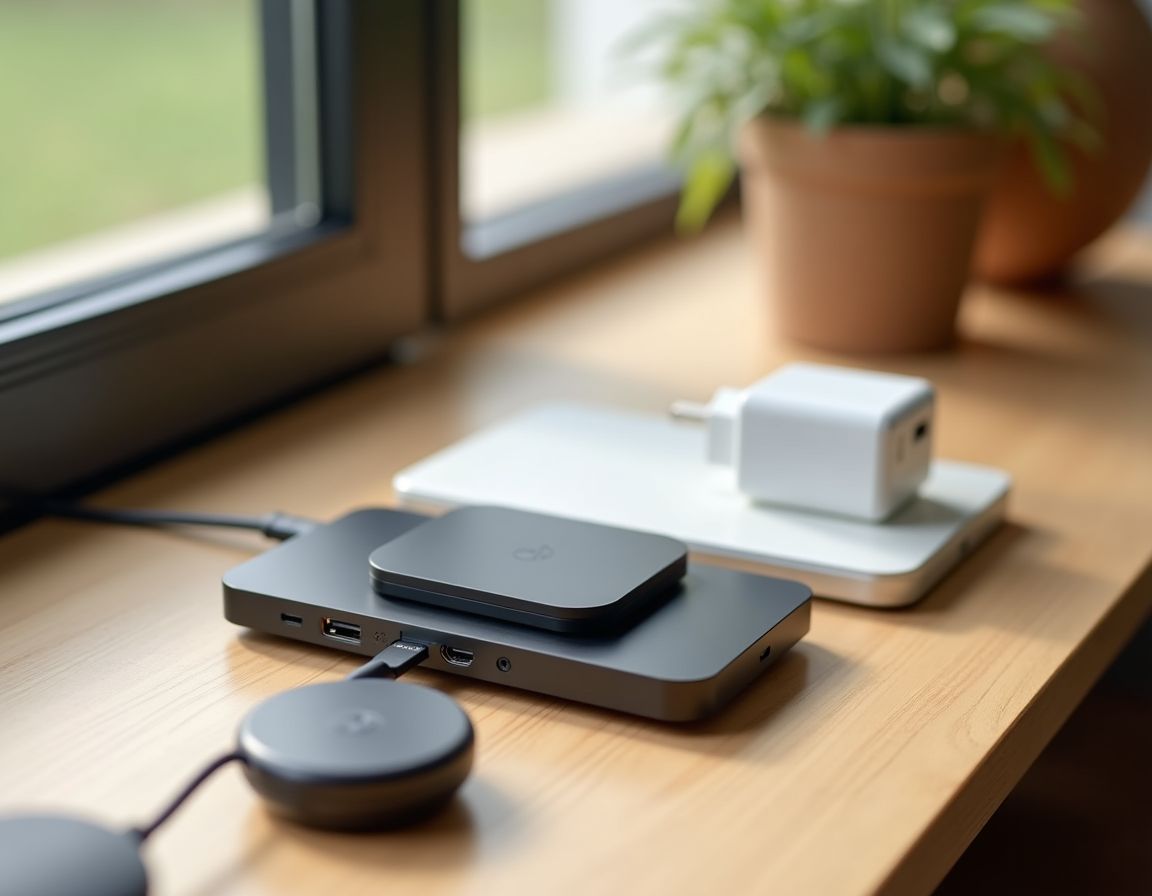
In the modern world, USB devices for home and office have transformed from simple accessories into indispensable assistants.
They not only transfer data or charge gadgets but also organize the workspace, making it safer
and more productive. This article compiles the best USB gadgets for office and home to consider in 2026,
with practical selection tips and examples of popular solutions.
1. USB Hubs and Concentrators: Expanding Your PC's Capabilities
Have you ever faced a situation where you need to connect a flash drive, mouse, external SSD, and printer to your laptop,
but there are no free ports? This is one of the most common problems solved by USB hubs and concentrators.
Modern models are not just "port doublers" but multifunctional devices for work and home.
Modern hubs are multifunctional devices for work and home.
What to Look for in a Quality Hub
Connection Type: For new laptops, choose models with USB-C (Thunderbolt 3/4),
which can support video transmission and fast charging (Power Delivery). For desktop PCs,
classic USB-A 3.0 hubs are suitable.
Transfer Speed: USB 3.2 Gen 2 provides up to 10 Gbps — this is especially important
for large files, backups, and video work.
Additional Interfaces: Card readers (SD/microSD), HDMI/VGA for a monitor, Ethernet
for stable internet, audio jacks, etc. — all can be in "one" housing.
Tip: For a home workspace, USB hubs with individual switches for each port are convenient.
This way, you can quickly "restart" a connected device (e.g., a printer) without unplugging the cable and
additionally save energy.
2. USB Charging Stations: Order and Charging Speed
In most homes and offices, several devices are charged simultaneously: smartphones, headphones, power banks, tablets,
sometimes laptops. This is where USB charging stations come to the rescue. They come in wall (plug-in) and desktop
(often in organizer format) varieties.
Charging stations bring order and speed for multiple devices.
Why You Should Buy a Charging Station
Space Saving: One block can replace 5–10 separate adapters and free up outlets.
Intelligent Charging: Modern stations detect the connected device and deliver
optimal current, which positively affects battery lifespan.
Safety: Protection against overheating, overvoltage, and short circuits is especially important
if devices are often charged overnight.
Practical Guideline: For the office, it's convenient to choose stations from 65W and above, which can
even charge laptops. For home, models with 30–40W and 4–6 ports are usually sufficient.
3. Useful USB Accessories You Might Not Know About
The category of USB accessories is very broad. Besides flash drives and cables, there are many "little things" that increase comfort,
improve atmosphere, and make work more productive.
Little things that increase comfort and productivity.
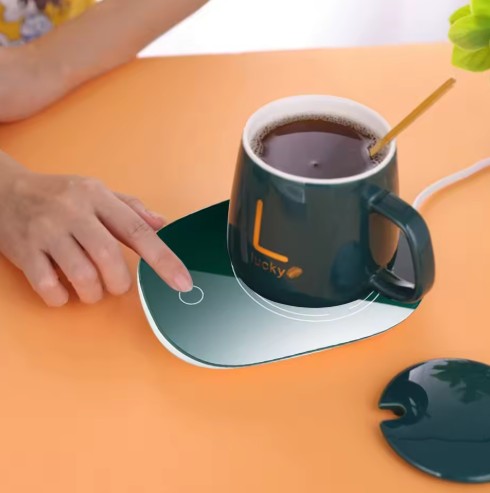
USB Hand Warmers and Mug Warmers: In a cold office or at home in winter, this is a real lifesaver.
A heated mug coaster helps keep your drink warm longer.
USB Microphone Pop Filters: Useful for video conferences and podcast recording — they reduce
"pops" and extra noise, improving voice clarity.
USB Night Lights and LED Strips: Ambient lighting for the workspace or area near the monitor
reduces eye strain in the dark.
USB Air Fresheners: Compact USB aroma diffusers — a quick way to make the microclimate
more pleasant in the workspace.
4. Specialized USB Gadgets for the Office
If you want to boost efficiency, pay attention to niche USB devices. They are often inexpensive,
but provide a noticeable increase in comfort and task completion speed.
Niche devices for an efficiency boost.
USB Foot Switches: Free up hands for primary work. The pedal can be programmed for
"Enter," "Space," or another action — convenient for transcription, editing, or reading.
Flash Drives with Hardware Encryption: Relevant for business and working with confidential files.
Protection is implemented at the hardware level, sometimes with a PIN keyboard on the case.
How to Choose the Perfect USB Device: Buyer's Checklist
Determine the main task: do you need only charging or data transfer?
For charging, simpler solutions suffice; for data, choose high-speed standards (USB 3.0/3.1/3.2).
Define the task, materials, and power.
Define the main task: Do you need only charging or data transfer?
For charging, simpler solutions suffice; for data, choose high-speed standards (USB 3.0/3.1/3.2).
Materials: A metal case dissipates heat better and is usually more durable than plastic.
This is especially important for portable devices.
Cable Length: For desktop stations, a cable of ~1–1.5 m is practical to position
the station conveniently, rather than being "tied" to the outlet.
Power (Power Delivery): Check the total power and power on a specific port.
For charging a laptop, you typically need at least 45–60W on the corresponding USB-C port.
The Future of USB: What to Prepare For
Technology does not stand still. We already see a trend towards USB-C as a universal standard for most
devices. Gradually, older cable types will become rarer, and USB accessories will become more universal.
The popularity of magnetic USB cables (MagSafe-like) is also growing, which reduces the risk of connector damage from
accidental tugs.
Conclusion:
USB devices for home and office are an investment in comfort, equipment safety, and work efficiency.
From compact USB hubs and concentrators to powerful charging stations — each gadget solves a specific task.
Choose quality models, pay attention to standards, power, and materials — and your digital space will become
more organized and reliable.
May your devices always be connected and "powered up"!