Table of Contents
What a charging hub is and why you need one
A charging hub for all devices is a compact device that lets you power a smartphone, tablet, headphones, smartwatch, and other gadgets simultaneously from a single source. Instead of five separate adapters occupying every outlet and creating a tangle of wires, you get a single power point. This is especially relevant for a work desk, where order affects productivity and mood.
The ComfortShop editorial team analyzed open sources and notes: demand for universal charging stations is steadily growing, as a modern person uses at least three to four devices every day. Each of them needs regular recharging, while the number of outlets in an apartment or office is limited.
A hub for charging gadgets solves several problems at once: saving space, reducing the number of cables, and protecting against network overload. Moreover, most modern models feature intelligent power distribution — each port receives exactly as much energy as a specific device needs.
Key features of a universal charging station
Before choosing a specific model, it's worth paying attention to several technical parameters that determine convenience and safety of use. Based on an analysis of specifications, ComfortShop recommends focusing on the following aspects:
- Total output power — the higher it is, the more devices you can charge simultaneously without losing speed. For most users, 65–100 W is sufficient.
- Number and types of ports — USB-A for older gadgets, USB-C with Power Delivery support for fast charging of laptops and modern smartphones.
- Fast charging protocols — support for Quick Charge, Power Delivery, and PPS ensures compatibility with a wide range of devices.
- Protection — protection against overvoltage, overheating, and short circuits is essential for safe operation.
Separately, it's worth noting the presence of port status indicators. This helps quickly determine which device is already charged and which still needs power. A useful feature is automatic port shutdown after charging is complete.
A desktop charging station with high-quality circuitry will last for years, whereas cheap imitations can damage the batteries of expensive gadgets. So it's not worth skimping on this device.
Device charging organizer: order on your desk
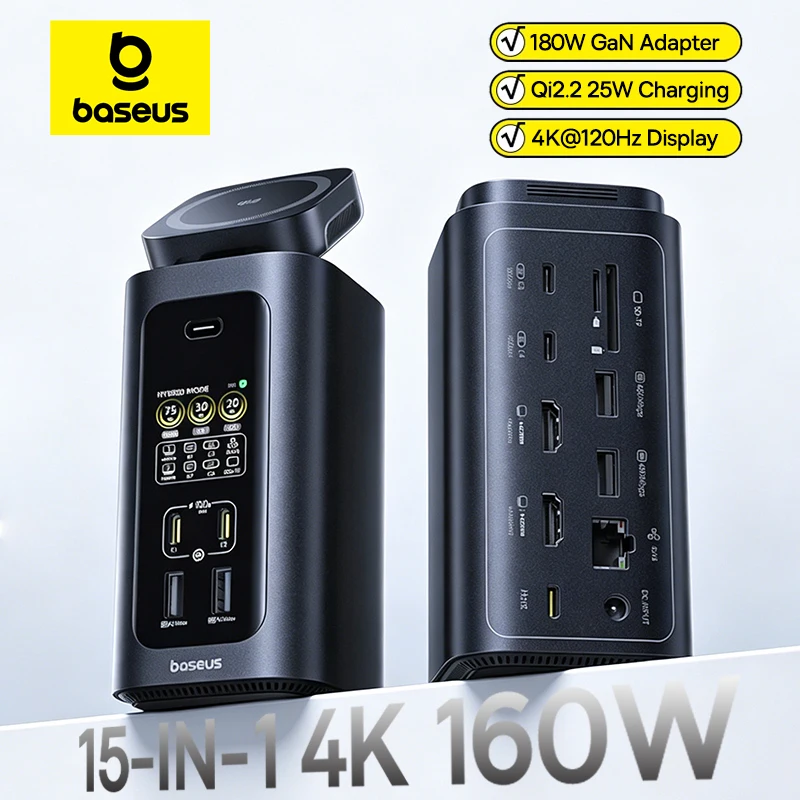
A separate category is the device charging organizer, which combines the functions of a hub and a stand for gadgets. This format is especially convenient for those who work at a desk and want to keep all devices within view.
The design usually features a vertical or horizontal stand with dividers for smartphones, tablets, and headphones. Cables are hidden inside the body, which completely eliminates visual clutter on the work surface.
A practical tip from the ComfortShop editorial team: choose an organizer with adjustable dividers. This will allow you to adapt the design to specific devices, even if over time you switch to a larger smartphone or add a new gadget.
Why this is convenient for family and office.
Charging multiple devices at once becomes even more relevant when several people work or live in the same room. A shared hub helps avoid conflicts over outlets and provides everyone with the necessary power. In offices, such solutions reduce the load on the electrical network and improve workplace convenience.
How to properly organize charging multiple devices at once
To get the most benefit from a universal charging station, it's important to organize the process properly. Chaotically connecting all gadgets at once can lead to slow charging or overheating of individual ports.
The first rule is to distribute devices by power. A laptop or tablet with high energy consumption is best connected to the port with the highest output power, usually USB-C with Power Delivery support. Smartphones and headphones can charge from lower-power ports without losing speed.
The second rule is not to leave fully charged devices connected for long. Although modern hubs have overcharge protection, disconnecting ready gadgets frees up power for others. This is especially important when more than three devices are charging at once.
Optimal usage scenario.
The best approach is to charge energy-intensive devices at night or during a lunch break, and connect small gadgets throughout the day as needed. This way you'll always have free power for an urgent smartphone top-up before heading out.
Modern technologies in desktop charging stations
The charging hub market is developing rapidly, and manufacturers are introducing more and more intelligent functions. Modern models no longer just distribute energy but also analyze the status of connected devices.
GaN (gallium nitride) technology has made it possible to significantly reduce the size of charging stations without losing power. Such hubs are smaller than typical power supplies but can deliver up to 100 W or more. This is an ideal solution for those who value compactness on the work desk.
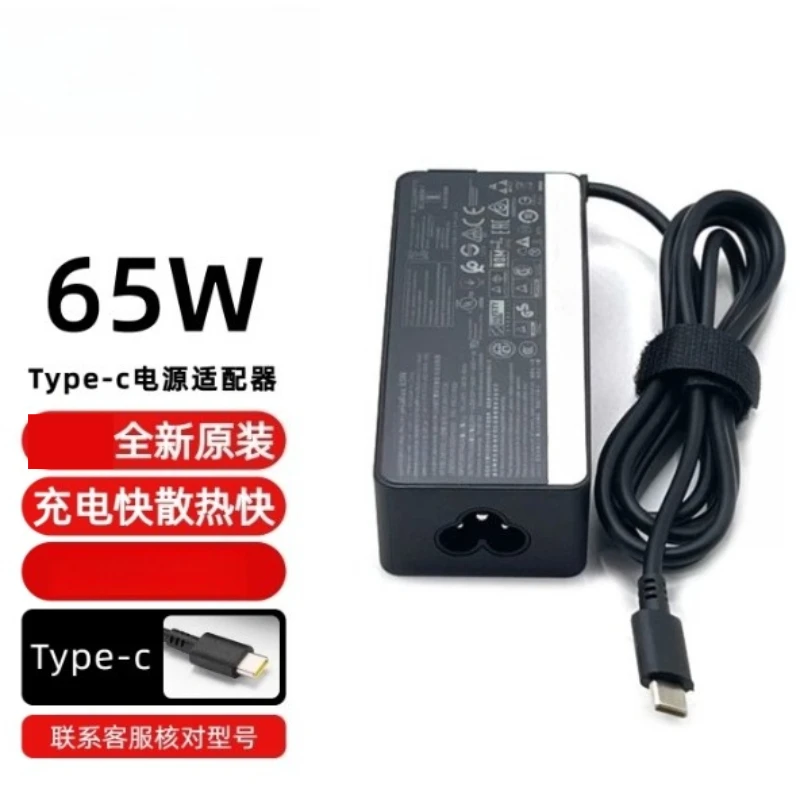
Wireless charging panels integrated into desktop stations allow you to charge smartphones without cables. Simply place the device on the marked zone and the process starts automatically. This is especially convenient for those who frequently pick up their phone while working.
Some models have built-in displays showing the current voltage, current, and power for each port. For tech enthusiasts, this is not only useful but also interesting from the standpoint of monitoring energy consumption.
What to pay attention to before choosing
Before going to the seller, it's worth clearly defining your own needs. After analyzing open sources, the ComfortShop editorial team notes several key criteria that will help you make the right choice.
- List of devices — make a list of the gadgets you plan to charge simultaneously. This will determine the required number of ports and total power.
- Usage format — a stationary station for the desk or a portable hub for travel? A larger organizer is suitable for home, while a compact model with GaN technology is better for trips.
- Compatibility — check which fast charging protocols your devices support. A universal charging station should cover all needs.
- Cable quality — if the hub comes with cables, they must be of sufficient length and gauge to transmit the stated power.
Also pay attention to the body material. High-quality plastic or aluminum not only looks better but also dissipates heat better. Overheating is the main enemy of electronics, so passive cooling must be well thought out.
Always check the price and availability of a specific model on the seller's website, as conditions may change. You can go to the seller via the affiliate links placed on the review pages.
Conclusion:
A charging hub for all devices is a practical solution for those who want to keep their desk tidy and power all gadgets at once. Based on an analysis of specifications, the ComfortShop editorial team recommends choosing models with Power Delivery support, overheating protection, and enough ports for your needs. Check the current price and delivery terms on the seller's website before purchasing.
Frequently asked questions
How many devices can a desktop charging station charge at once?
Most models have 3–8 ports or wireless zones and allow charging multiple devices simultaneously. Check the hub's total power in the specifications on the seller's website to ensure it covers the needs of all your gadgets.
Is a universal charging station suitable for a laptop, smartphone, and headphones together?
Yes, if the hub has a USB-C port with sufficient Power Delivery power (from 45–65 W for most laptops) and separate ports for small devices. Check the supported fast charging protocols in the product description from the seller.
Do I need a device charging organizer if I have a multi-port hub?
An organizer helps keep cables tidy and hold gadgets in fixed slots, so the desk looks neater. These are often combined "hub + stand" models that the ComfortShop editorial team compared for convenience and ergonomics.
Is it safe to leave a charging hub for all devices plugged in overnight?
High-quality models with overheating and overload protection are usually designed for continuous operation, but it's worth choosing certified products and reading reviews. Check warranty terms and safety rules directly with the seller or on the marketplace.