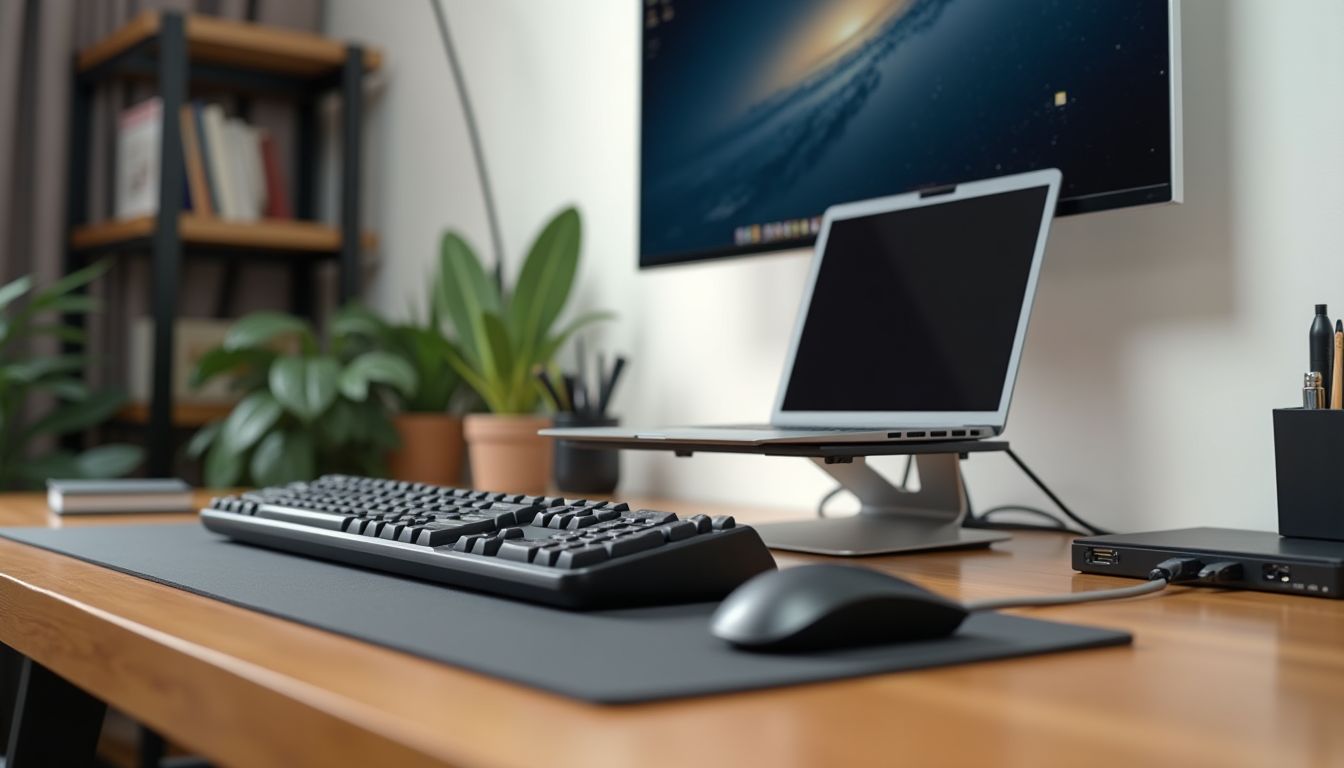
Programmers spend more time at the keyboard than people in most other professions. Not only the speed of writing code, but also the health of your wrists, shoulders, and back depends on the choice of this tool. That is why the question of choosing the right keyboard goes far beyond a simple "like/dislike." The ComfortShop editorial team analyzed the key characteristics of modern models to help you find the optimal option for daily work with code.
Table of Contents
- Why a programmer should choose an ergonomic keyboard
- Mechanical switches as the standard for coding
- Split keyboards: maximum freedom for your hands
- Keyboard with macro programming: automating the routine
- How to choose the best keyboard for a developer: key criteria
- Where to buy a keyboard for programming
- Conclusion:
Why a programmer should choose an ergonomic keyboard
Prolonged work at a regular keyboard often leads to an unnatural position of the hands. The wrists bend, the fingers constantly reach for distant keys, and the muscles of the forearms are under constant tension. Over time, this can cause carpal tunnel syndrome, chronic joint pain, and reduced productivity.
An ergonomic keyboard for a programmer solves this problem thanks to a thoughtfully designed body geometry. Such models have a split or curved design that allows the hands to be in a natural position — approximately shoulder-width apart, without bending at the wrists. This is especially important for those who spend 8-10 hours a day writing code.
Based on an analysis of the characteristics, ComfortShop recommends paying attention not only to the appearance of the keyboard, but also to its tilt angle, the ability to adjust the height, and the presence of a wrist rest. It is these details that determine how comfortable the work will be in the long term.
Mechanical switches as the standard for coding
A mechanical keyboard for coding has long been not just a trend, but a conscious choice of professionals. Unlike membrane keyboards, mechanical switches provide clear tactile feedback and consistent actuation over millions of presses. For a programmer, this means fewer errors during fast typing and predictable behavior of each key.
Choosing the type of switches is an individual matter, but there are several general recommendations:
- Linear (Red, Black) — smooth travel without a tactile "click," suitable for those who type a lot and don't like unnecessary noise.
- Tactile (Brown, Clear) — a noticeable actuation point without a loud click, the golden mean for coding.
- Clicky (Blue, Green) — distinct sound and tactile feedback, but they can disturb colleagues in an open office.
After analyzing open sources, the ComfortShop editorial team notes that most developers choose tactile or linear switches. They provide comfortable typing without excessive noise, which is especially important during long programming sessions.
Split keyboards: maximum freedom for your hands
A split keyboard for programming is a solution that allows you to position the two halves of the keyboard independently of each other. This format is especially valued by developers who work in a standing position or alternate body positions throughout the day. You can spread the halves shoulder-width apart or bring them closer together — it all depends on your preferences.

In addition to physical comfort, split models often offer advanced customization options. Many of them support creating custom key layers, macros, and combinations, which allows you to adapt the keyboard to specific programming languages or development environments.
Switching to a split keyboard requires some time for adaptation — usually from a few days to two weeks. However, after getting used to it, most users note a significant reduction in fatigue in their hands and shoulders.
Keyboard with macro programming: automating the routine
A keyboard with macro programming is a tool that can significantly speed up repetitive actions. Instead of manually entering long code fragments, Git commands, or SQL queries each time, you can assign them to individual keys or combinations. This reduces the strain on your fingers and saves time.
Modern models offer various ways to configure macros:
- Through proprietary software with a graphical interface.
- Using open-source firmware such as QMK or ZMK, which allow deep customization of keyboard behavior.
- Through hardware macro recording buttons directly on the keyboard.
For developers who work with large codebases, the ability to quickly insert code templates or run tests with a single key can become a significant competitive advantage in daily productivity.
How to choose the best keyboard for a developer: key criteria
The best keyboards for developers combine several important characteristics. First of all, it's the reliability of the switches and the overall build quality. A keyboard that you use every day for 8-10 hours must withstand intensive use without losing actuation crispness.
The second criterion is customizability. This applies both to physical ergonomics (tilt, height, split) and software flexibility (macros, key remapping, layer creation). The more options you have to adapt the keyboard to your own needs, the more comfortable the work will be.
The third aspect is compatibility with your working environment. Make sure the keyboard works correctly with your operating system, and that the configuration software is available for your platform. Some models have limited support on Linux or macOS, which can be a problem for developers.
Where to buy a keyboard for programming
If you've decided that it's time to upgrade your work tool, it's worth paying attention to the assortment of specialized sellers. You can buy a keyboard for programming both in local electronics stores and on international marketplaces. The latter often offer a wider selection of models, especially when it comes to niche ergonomic solutions or keyboards with open-source firmware.
Before buying, be sure to check the price on the seller's website, delivery terms, and warranty. Since ComfortShop is an informational project, we do not sell products directly, but we provide up-to-date links to trusted sellers so you can quickly find the model you need at a favorable price.
Pay attention to reviews from other developers who already use the model you've chosen. Real-world experience often reveals nuances that aren't listed in the technical specifications — for example, the noise level in an office environment or the convenience of the configuration software.
Conclusion:
Choosing a keyboard for a programmer is an investment in your own health and productivity. An ergonomic or split model with high-quality mechanical switches will help you avoid occupational hand diseases and make the coding process more comfortable. According to the recommendation of the ComfortShop editorial team, pay attention to customization options, the type of switches, and compatibility with your system, and be sure to check the seller's terms before buying.
Frequently Asked Questions
Which keyboard is better for programming — mechanical or membrane?
For prolonged work with code, a mechanical keyboard for coding is more often recommended: clear tactile feedback and the ability to replace switches reduce strain on the fingers. Membrane models are quieter and cheaper, so they're suitable if you work in an open office or at home at night.
What are the benefits of a split keyboard for programming?
A split keyboard for programming allows you to spread the halves shoulder-width apart, which reduces tension in the wrists and forearms. Additionally, you can set a comfortable tilt angle and position a trackball or mouse closer to the center.
What does a keyboard with macro and layer programming provide?
A keyboard with macro programming allows you to assign frequent actions to a single button — starting a build, committing, switching IDE windows. This eliminates dozens of repeated presses per day and reduces the risk of carpal tunnel syndrome.
Where to buy an ergonomic keyboard for a programmer and what should you pay attention to?
You can buy a keyboard for programming on marketplaces and in specialized stores — the ComfortShop editorial team only compares the characteristics of models, while you should check the price, availability, and delivery on the seller's website. Before buying, clarify the layout, type of switches, QMK/VIA support, and the seller's warranty terms.