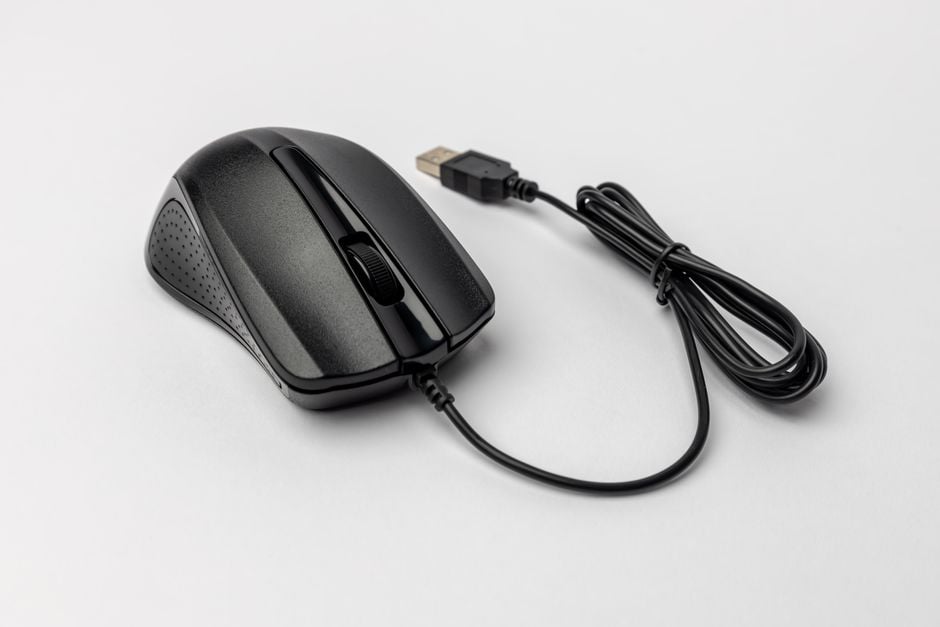
Pain in the hand after prolonged work at the computer is a problem that has become professional for office workers, designers, and gamers. Often, we don't notice how an incorrect hand position while using a regular mouse leads to nerve compression, pain in the wrist and elbow joint. That is why, in recent years, an ergonomic mouse for hands, which radically changes the tilt angle and relieves tension, has become a real salvation for many. In this article, we will conduct an honest review of an ergonomic mouse, analyze whether it really helps with pain, and which models are worth your attention. According to the recommendation of the ComfortShop editorial team, the right choice of peripherals can not only increase comfort but also prevent serious joint diseases.
? Table of Contents
- Why is a regular mouse harmful to health?
- Vertical mouse vs. classic ergonomics: which to choose?
- Key criteria for choosing a mouse for wrist pain
- Mouse for the elbow tunnel: is there a difference?
- Review of popular models: from budget to premium
- How to properly get used to an ergonomic mouse?
- Conclusion:
Why is a regular mouse harmful to health?

A standard computer mouse forces the hand into an unnatural position — the palm is turned almost parallel to the table, which creates constant pressure on the carpal tunnel. This leads to compression of the median nerve and, as a result, to pain, numbness in the fingers, and even carpal tunnel syndrome. This is especially dangerous for those who spend more than 6-8 hours a day at the computer.
Furthermore, a regular mouse does not support the anatomical shape of the hand, causing the muscles of the forearm and elbow to be in constant tension. This can provoke pain in the elbow tunnel and shoulder girdle. If you feel discomfort after just a few hours of work, this is the first signal that you need to change your PC accessories for pain.
Vertical mouse vs. classic ergonomics: which to choose?
There are two main types of ergonomic manipulators on the market: vertical and anatomical (with a curve). A vertical mouse positions the hand at an angle of 45-70 degrees, imitating a handshake — this is the most physiological position for the wrist. It is ideal for preventing carpal tunnel syndrome and relieving tension from the elbow.

Anatomical models have a more complex shape with indentations for fingers and a bulge for the palm. They ensure a natural position of the fingers but require getting used to. ComfortShop experts advise paying attention to vertical models if the pain is localized in the wrist, and to anatomical models if discomfort is felt in the fingers or the entire hand.
Key criteria for choosing a mouse for wrist pain
Before buying an ergonomic mouse, it is worth evaluating several important parameters. First, the size — the device must match the size of your palm. A mouse that is too large will force your fingers to constantly stretch, while one that is too small will create additional tension. Second, the weight: lighter models (up to 100 g) tire the hand less during prolonged use.

Here are the main characteristics to pay attention to:
- Tilt angle: for vertical models, 60-70 degrees is considered optimal.
- Body material: soft-touch or rubberized inserts prevent slipping and reduce strain.
- Sensor type: optical or laser — the latter works on any surface without a mouse pad.
- Additional buttons: programmable keys allow you to set up macros and reduce the number of movements.
Mouse for the elbow tunnel: is there a difference?
Pain in the elbow joint often occurs due to an incorrect position of the forearm, when the elbow constantly rests on a hard surface or is suspended. In such a case, a regular mouse only worsens the problem, because clicking with the fingers requires tensing the muscles of the entire forearm. An ergonomic mouse for hands with a vertical grip allows you to keep your elbow at a right angle, relieving excess strain.
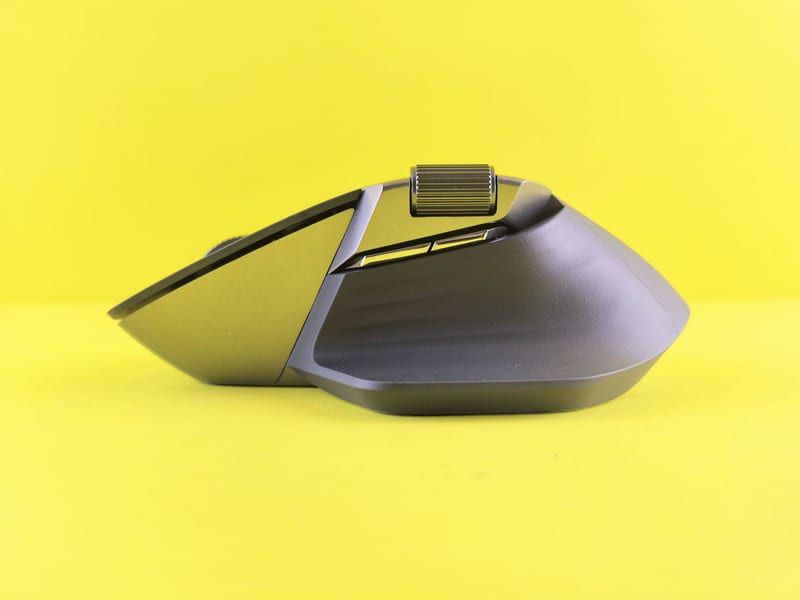
Some manufacturers offer models with an adjustable tilt angle and replaceable panels. This is especially relevant if you use a mouse for the elbow tunnel as a preventive measure. ComfortShop reviewers note that to treat existing pain, changing the mouse should be combined with regular hand exercises.
Review of popular models: from budget to premium
Among the affordable options, it is worth highlighting budget models with basic ergonomics. They usually have a simple design but already change the tilt angle of the hand. This is a good choice for starting to get acquainted with ergonomics, although such devices often have a limited number of additional functions and lower quality materials.
The mid-price segment offers an optimal price-quality ratio. Here you will find models with an adjustable angle, additional buttons, and a high-quality sensor. Some of them have wireless connectivity and long battery life, making them the best mouse for computer work in a modern office.
The premium segment is represented by models with an anatomical shape, made according to individual parameters. They have height and width adjustments, as well as the ability to adjust the weight. Such devices are recommended for people with chronic pain or after injuries, as they provide maximum hand support.
How to properly get used to an ergonomic mouse?
The first impression of using an ergonomic mouse may be unusual — the hand does not immediately get used to the new position. Many users make the mistake of returning to their old mouse after a few hours of trying. In fact, the adaptation period lasts from 3 to 7 days, during which it is important not to use the old device so that the brain can rebuild motor skills.

To ease the adjustment, it is recommended to start with simple tasks — browsing web pages or working with text, gradually moving to more complex operations. It is also worth adjusting the sensor sensitivity: for vertical models, a higher cursor speed is usually needed than for regular ones. Remember, the best mouse for computer work is the one that does not cause discomfort after 8 hours of use.
Conclusion:
An ergonomic mouse is not just a fashionable accessory, but an effective tool for preventing and reducing hand pain. It changes the tilt angle of the hand, relieves pressure on the carpal and elbow tunnels, and allows you to work longer without discomfort. If you are choosing a mouse for wrist pain, give preference to vertical models with an adjustable angle and high-quality body material. ComfortShop experts recommend not skimping on your health and choosing trusted brands that guarantee durability and true ergonomics.
Frequently Asked Questions
Does a vertical mouse help with wrist pain?
Yes, a vertical mouse reduces strain on the wrist by keeping the hand in a natural position, which lowers the risk of carpal tunnel syndrome and pain.
Which ergonomic mouse is best for problems with the elbow tunnel?
For the elbow tunnel, choose mice with an adjustable tilt angle and forearm support, for example, models with a trackball function or vertical options that minimize pressure on the nerve.
Is it worth buying an expensive ergonomic mouse for computer work, or can you get by with a budget one?
Budget models can reduce pain, but more expensive options often have better hand support, adjustments, and higher quality materials, which is important for chronic pain.
How to correctly choose a mouse for hand pain to avoid mistakes?
Choose a mouse based on the shape of your hand and the type of pain: for wrist pain — a vertical one, for elbow problems — one with a rest, and be sure to test it in use for a few days.