
Choosing a gaming mouse for MMOs (Massively Multiplayer Online) is a strategic decision that can significantly impact your comfort and in-game efficiency. In this genre, where every second counts and the number of active skills can reach dozens, ergonomics, the number of programmable buttons, and sensor accuracy take center stage. Two undisputed leaders in the gaming peripherals market — Razer and Logitech — offer entire lines of specialized mice for MMO gamers. In this article, we will thoroughly compare flagship and popular models from both brands to help you make an informed choice among PC accessories.
? Table of Contents
Design Philosophy and Ergonomics
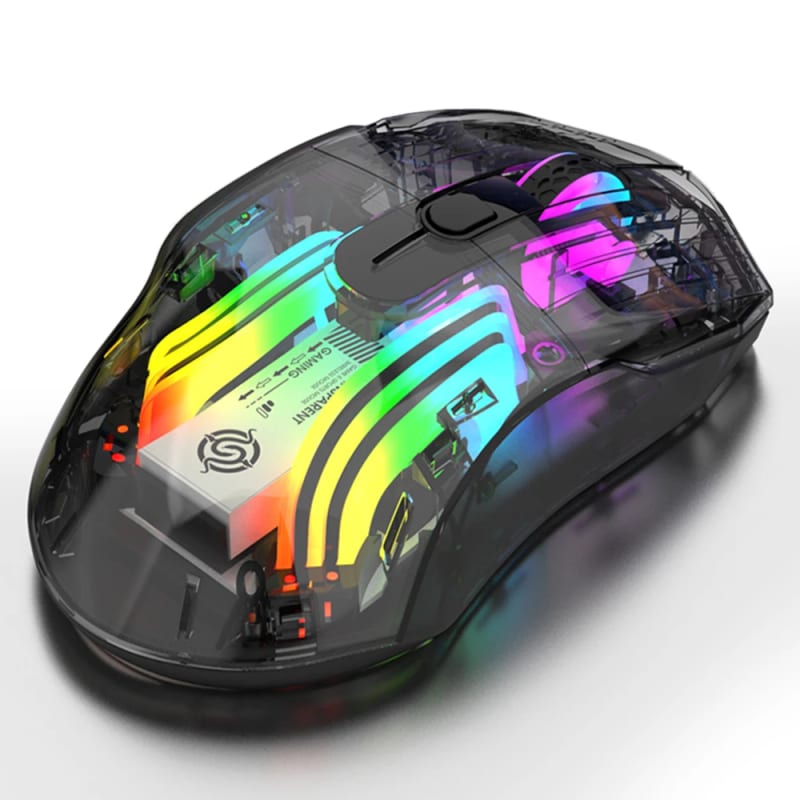
The approach of Razer and Logitech to creating MMO mice has significant differences. Razer typically emphasizes an aggressive gamer design with bright Chroma lighting, often using symmetrical shapes for grip versatility. Their flagship Naga series is known for its interchangeable side panels, allowing you to adapt the mouse for different genres: from MMOs with 12 buttons to MOBAs with 7.
Logitech, on the other hand, often leans towards a more restrained, ergonomic design oriented towards right-handed users. Their legendary G600 series, and now more modern models like the Logitech G604 Lightspeed, offer a shape that fits perfectly in the hand during extended use. The 12-button side panel on Logitech mice usually has a curved shape under the thumb, making it easier to navigate by touch.
Key question: Do you need versatility and customization (Razer) or classic, time-tested right-handed ergonomics (Logitech)? The answer to this will be the first step towards your choice.
Button Arsenal and Programmability
For an MMO gamer, the number and placement of additional buttons is the main criterion. Both brands offer models with 12 or more programmable buttons on the side.
Razer Naga Trinity / V2 HyperSpeed vs. Logitech G600 / G604 Lightspeed:
The Razer Naga Trinity is famous for its modular system: you can swap the side panel for one with 2, 7, or 12 buttons. This is ideal if you play not only MMOs but also shooters or strategy games. Newer wireless models, like the Razer Naga V2 HyperSpeed, have moved away from modularity in favor of specialized variants, focusing on reliability and battery life.
The Logitech G600 is a genre classic with a fixed 12-button panel and a unique third G-Shift button under the ring finger. It doubles the functionality of all other buttons, effectively giving you 24 commands at your fingertips. The Logitech G604 offers a different approach: 6 programmable buttons on the side plus another 4 on the top panel, which might be more convenient for those who don't want to learn an entire keypad under their thumb.
Technology and Precision: Sensors and Wireless Solutions
Both manufacturers equip their top models with the most modern optical sensors featuring high DPI and no jitter. Razer actively uses its own Focus Pro sensors, known for excellent accuracy on various surfaces.
Logitech, in its flagships, uses HERO generation sensors, renowned for incredible energy efficiency and stability. This is critically important for wireless models. In the field of wireless connectivity, Logitech with its Lightspeed technology has long been the benchmark for low latency, comparable to a wired connection. Razer responded by introducing its own HyperSpeed wireless solutions, which are in no way inferior to the competitor.
Important nuance: If you choose a wireless mouse, pay attention to battery life. Here, the Logitech G604 with a single AA battery can last for hundreds of hours, while the Razer Naga V2 HyperSpeed requires regular charging of its built-in battery.
Software and Integration
The customization capabilities through proprietary software are what turn a lump of plastic and microchips into a personalized tool. Razer Synapse 3 is a powerful platform that allows you to configure not only buttons and lighting but also create complex macros, synchronize effects with other Chroma-enabled devices, and save profiles to the cloud.
Logitech G Hub has evolved from a simple utility into a full-fledged customization environment. It is more intuitive for beginners but also offers deep capabilities for creating macros and profiles for specific games. Both applications allow you to assign commands on multiple levels, which is critical for MMOs.
Comparison table of key features:
Razer Naga V2 Pro (wireless) vs. Logitech G600 (wired) vs. Logitech G604 Lightspeed (wireless)
- Number of Buttons: Razer: 20+; G600: 20; G604: 15.
- Sensor: Razer: Focus Pro 30K; G600: Optical; G604: HERO 25K.
- Connection: Razer: Bluetooth / HyperSpeed USB; G600: USB; G604: Lightspeed / Bluetooth.
- Features: Razer: Modular panels (on Trinity), Chroma RGB; G600: G-Shift button; G604: High battery life, 6+4 buttons.
- Price Category: Razer: Premium; G600: Budget; G604: Mid/High range.
Advantages and Disadvantages: Who is it for?
Razer — best choice for: gamers who value versatility, customization, and visual appeal. If you frequently switch game genres, love synchronized RGB lighting, and are ready to invest in a top-tier wireless solution with powerful software, you should look at the Razer Naga V2 Pro or Naga Trinity.
Razer Disadvantages: usually a higher price, especially for flagship wireless models; Synapse software can feel overloaded for some users; battery life of wireless versions often lags behind competitors that use replaceable batteries.
Logitech — best choice for: gamers looking for proven, reliable ergonomics and practicality. The classic G600 is an iconic and very affordable MMO mouse. The Logitech G604 Lightspeed is an ideal balance for those who need a quality wireless mouse with great battery life and a sufficient, but not excessive, number of buttons.
Logitech Disadvantages: design is often less "gamer-oriented"; the G600 series is aging and needs an update; most models lack modularity, being tailored for a specific use case.
Conclusion:
Both brands offer excellent solutions for MMOs, but they cater to different needs. If you are a versatile gamer who wants one mouse for all occasions and your wallet is ready for an investment, the top-tier Razer models with modular panels will be a great choice. If you are an MMO enthusiast looking for the most ergonomic, reliable, and practical tool focused on long gaming sessions, then Logitech, especially in the G600 (for savings) or G604 Lightspeed (for a modern wireless experience) variants, will be a foolproof solution. Last but not least, be sure to try holding your chosen model in your hand, as personal comfort is the most important characteristic.