Modern computer work often involves sitting for hours, which puts enormous strain on the hand and wrist. A regular mouse forces the hand into an unnatural position, which can lead to pain and even serious joint diseases. That is why ergonomic devices are becoming not just a desirable accessory, but a necessity for everyone who cares about their own health. According to the recommendation of the ComfortShop editorial team, one of the most effective solutions for preventing carpal tunnel syndrome is a vertical mouse. In this article, we have gathered six of the best models that will help make your work more comfortable.
? Table of Contents
- Why choose a vertical mouse for work?
- Logitech MX Vertical — leader among ergonomic solutions
- Anker Ergonomic Vertical Mouse — optimal balance of price and quality
- Jelly Comb Ergonomic Mouse — stylish design and functionality
- Trust Verto Ergonomic Mouse — for large hands and maximum comfort
- Satechi M1 Bluetooth Mouse — premium metal and wireless freedom
- Delux M618DB — palm massager and adjustable tilt angle
- Conclusion:
Why choose a vertical mouse for work?
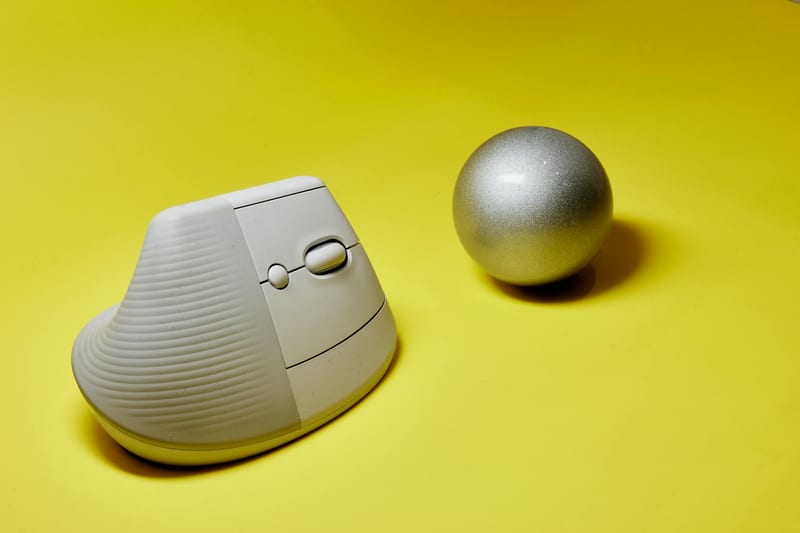
A vertical mouse is radically different from a classic one in shape and operating principle. Its body is positioned at an angle of approximately 60-70 degrees, allowing the hand to assume a natural position, as if you were shaking someone's hand. This relieves tension in the forearm muscles and prevents nerve compression in the carpal tunnel.
For office workers, designers, programmers, and gamers who spend more than 6-8 hours a day at a PC, switching to an ergonomic mouse can be a real lifesaver. It not only reduces fatigue but also increases productivity, as you are less distracted by discomfort in your hand. When choosing the best vertical mouse, you should pay attention to size, weight, sensor type, and additional features.
What to look for when choosing a model.
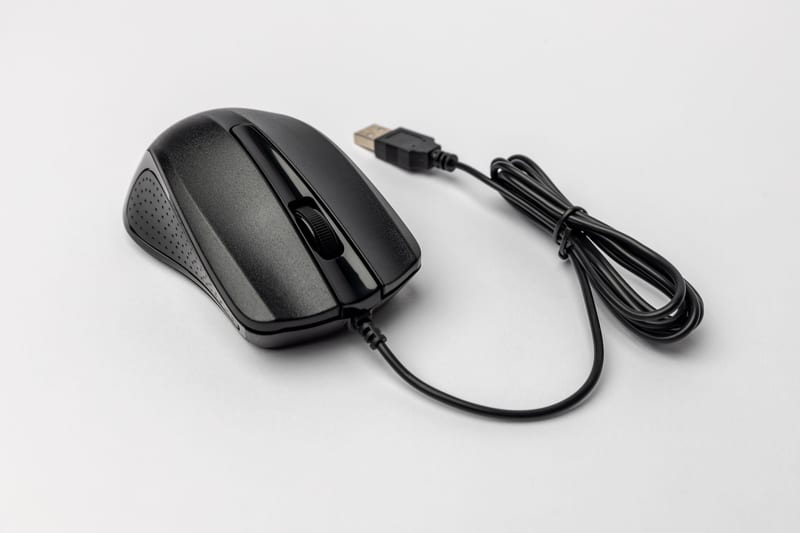
First of all, assess your grip. If you have a large palm, choose large models with a soft rubberized coating. For small hands, compact devices with adjustable sensitivity (DPI) are better suited. The type of connection is also important: wired models provide minimal latency, while wireless ones offer freedom of movement and less clutter on your desk.
Logitech MX Vertical — leader among ergonomic solutions
The Logitech MX Vertical has long been established in the ranking of vertical mice as one of the best. It has a unique tilt angle of 57 degrees, which the manufacturer calls the "sweet spot" between vertical and horizontal positions. This allows for a 10% reduction in muscle activity compared to regular mice.
The model is equipped with a high-precision 4000 DPI optical sensor, suitable for working with high-resolution monitors. Additionally, it has a powerful battery that holds a charge for up to 4 months and fast charging via USB-C. This is an excellent choice for those looking for the best vertical mouse made from premium materials.
Anker Ergonomic Vertical Mouse — optimal balance of price and quality
If you want a quality device without overpaying for the brand, check out the Anker Ergonomic Vertical Mouse. It is one of the most popular models on the market, ideal for daily office use. It has 5 buttons, including forward/back buttons, which significantly speeds up navigation in the browser and file manager.
ComfortShop experts recommend this model for beginners who are just getting acquainted with ergonomic accessories. Its ergonomic shape with soft rubber inserts provides a secure grip, and adjustable DPI (800/1200/1600) allows you to adapt the cursor speed to any task. The Anker works both via a USB receiver and Bluetooth, making it a versatile solution.
Jelly Comb Ergonomic Mouse — stylish design and functionality
Jelly Comb offers not only convenience but also an aesthetic appearance. Its wireless vertical mouse has sleek lines and is available in several colors, allowing you to choose an accessory that matches your workspace style. Despite its attractive design, it does not lag behind more expensive counterparts in functionality.
The model is equipped with silent buttons, which is a big plus for working in an open-plan office or at home when you don't want to disturb anyone. The sensor has a resolution of up to 2400 DPI, and it is powered by a single AA battery that lasts for several months of active use. For those looking for a top vertical mouse in 2025 in the budget segment, the Jelly Comb is an excellent option.
Trust Verto Ergonomic Mouse — for large hands and maximum comfort
The Trust Verto is designed for users with large palms. It has an enlarged body and a deep recess for the thumb, ensuring the most natural hand position. This vertical mouse for comfort features a textured coating that prevents slipping even during prolonged use.
One of the key features of the Trust Verto is the presence of an additional button under the thumb, which can be customized for any action. This significantly expands the device's capabilities in professional software. As ComfortShop reviewers note, this model is often the choice of graphic designers and engineers who value precision and control.
Satechi M1 Bluetooth Mouse — premium metal and wireless freedom
The Satechi M1 is not just a tool, but a stylish accessory made from high-quality aluminum. It pairs perfectly with Apple devices but is also suitable for Windows. Its flat design with a slight tilt makes it convenient for transport, while still providing good wrist support.
The model works exclusively via Bluetooth, allowing you to connect it to up to three devices and switch between them with a single button press. The battery provides up to 2 months of operation without recharging. This is the best vertical mouse for those who value minimalism and quality materials.
Delux M618DB — palm massager and adjustable tilt angle
The Delux M618DB is a unique offering on the PC accessories market. It features a non-standard design with an adjustable tilt angle that can be changed from 0 to 90 degrees. Additionally, it is equipped with a built-in palm massager that helps relieve fatigue after a long workday.
This model supports both wired and wireless connections, has RGB backlighting, and 6 programmable buttons. Despite its specific appearance, it provides excellent ergonomics and is suitable for people with existing wrist problems. If you are looking for a non-standard solution in the "ergonomic mouse for PC" category, the Delux M618DB is definitely worth your attention.
Conclusion:
Choosing a vertical mouse is an investment in your own health and comfort. Whether you choose a premium Logitech, a budget Anker, or an innovative Delux, switching to an ergonomic device will significantly reduce the strain on your hand. We recommend testing the model in a store before purchasing or taking advantage of the return option to ensure the shape is perfect for you. Choose quality PC accessories, like those in the ComfortShop range, and your work will become not only productive but also enjoyable.
Frequently Asked Questions
Does a vertical mouse really reduce wrist pain?
Yes, a vertical mouse reduces strain on the wrist because it keeps the hand in a natural position, which helps prevent carpal tunnel syndrome and discomfort during prolonged use.
What is the best vertical mouse for work in 2025?
The best model for work is considered to be the Logitech MX Vertical, thanks to its precise sensor, long battery life, and comfortable design suitable for large hands.
Is a vertical mouse suitable for gaming?
Vertical mice are generally not recommended for gaming due to slower reaction times and the unusual button placement, but some models, like the Logitech Lift, can be used for casual games.
How to choose a vertical mouse based on hand size?
For small hands, choose compact models like the Logitech Lift, and for large hands, choose larger ones like the Logitech MX Vertical to ensure full palm contact and avoid strain.